You've written a solid blog post. The information is accurate, the tone is right, and you've covered the topic thoroughly. You hit publish and wait. Days pass. Then weeks. The page sits on page four of Google, collecting no traffic and no leads.
Sound familiar? In many cases, the problem isn't the quality of the writing. It's the structure underneath it. Search engines and readers alike need clear signals that tell them what a page is about, how the content is organized, and which parts matter most. Without those signals, even well-written content can get lost.
That's exactly where heading tags come in. Heading tags, ranging from H1 through H6, are HTML elements that create the structural backbone of every web page. Think of them as the outline of your content made visible. They tell search engines how your page is organized, what your main topic is, and how each section relates to the next. They also help real human readers scan your page and find the information they need without reading every word.
This article breaks down what H1, H2, and H3 tags are, how they affect your SEO performance and visibility in AI-powered search tools, the most common mistakes business owners make, and a practical step-by-step framework you can apply to your next page. If you've ever wondered why your content isn't ranking the way it should, heading structure is one of the first places to look.
The Role Heading Tags Play on Every Web Page
Before getting into strategy, it helps to understand what heading tags actually are at a technical level. Heading tags are HTML elements that define a hierarchy of titles and subtitles within a web page. They run from H1 (the most important) down to H6 (the least), though most pages only use H1 through H3 in practice.
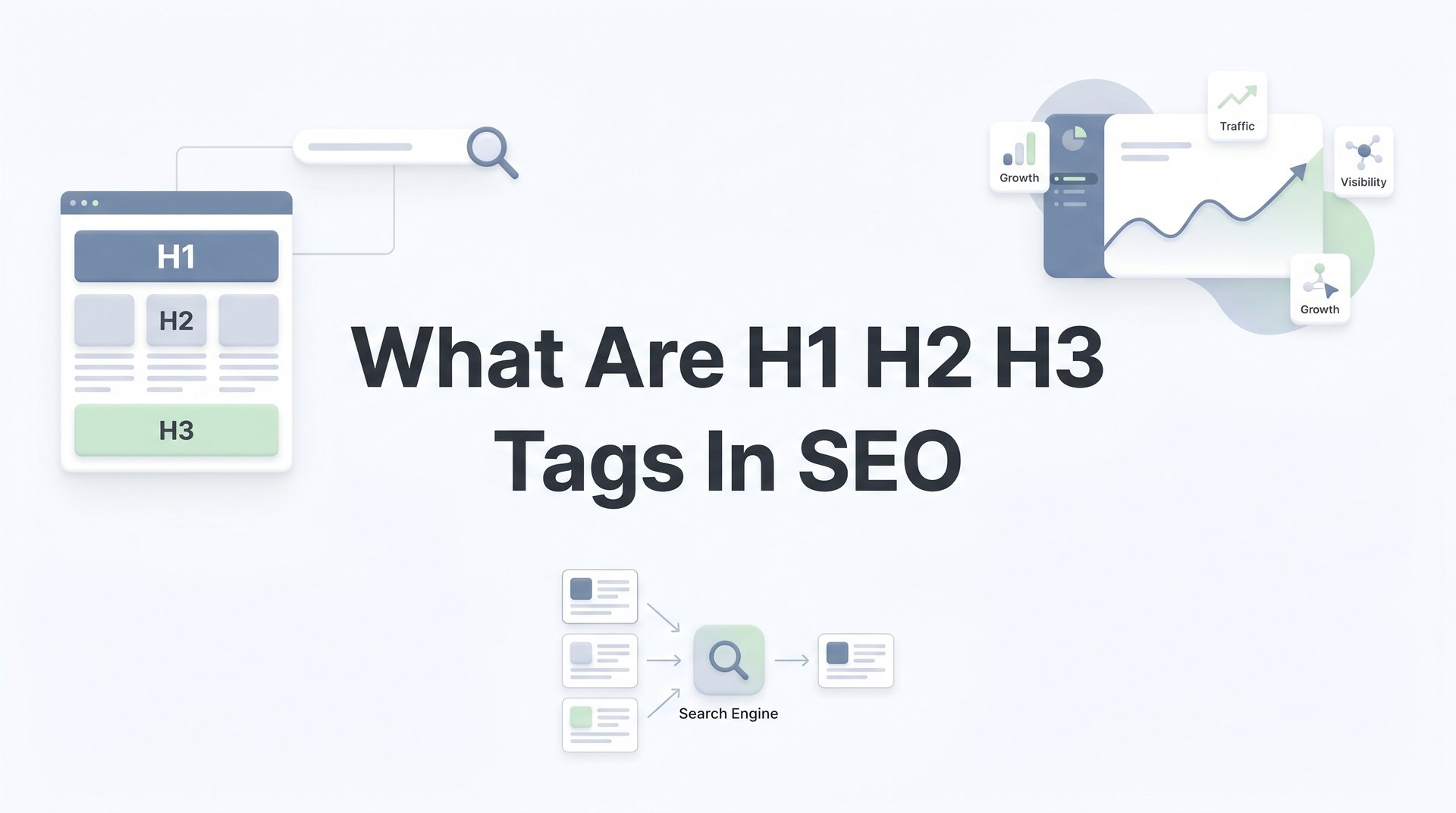
Think of it like a well-organized book. The H1 is the book's title. The H2s are the chapter headings. The H3s are the subheadings within each chapter. Each level signals to both readers and search engines that this is a new section, and that it falls under the level above it. That hierarchy is what creates structure.
Search engines like Google use heading tags as part of how they crawl and interpret your content. According to Google's own Search Central documentation, headings help Google understand the structure and content of a page. When a crawler reads your page, it uses those heading tags to identify your main topic, understand how subtopics relate to each other, and determine which keywords are most central to what you're covering. Understanding how Googlebot optimization techniques work can help you appreciate why structure matters so much at the crawling stage.
This matters because Google isn't just indexing words. It's trying to understand meaning and relevance. A page with a clear heading structure gives Google a much cleaner map to work with. A page without it forces the crawler to guess, and guessing rarely produces the ranking results you're looking for.
Here's something many business owners get wrong: heading tags are not the same as bold or enlarged text. If you open your website editor and manually increase the font size of a line of text, that line looks like a heading visually, but it carries no semantic meaning for search engines. It's just big text. A proper H2 tag, on the other hand, tells the search engine: "This is the start of a new section, and it matters."
Most content management systems, including WordPress, Squarespace, and Webflow, let you apply heading tags through the editor toolbar. The challenge is that many business owners choose heading styles based on how they look rather than what they mean structurally. That's a habit worth breaking, and we'll cover why in more detail later.
The short version: heading tags are one of the simplest structural signals you can give to both search engines and readers. Getting them right costs nothing and pays dividends in both rankings and user experience.
H1 Tags: Your Page's Primary Signal
If heading tags are the structure of your page, the H1 is the foundation. It's the main title of the page, and it should appear exactly once. One page, one H1. That's the rule, and it exists for a good reason.
The H1 tells search engines what the page is fundamentally about. It's the strongest heading-level signal on the page, and search engines weight it accordingly. When Google crawls your page and reads your H1, it's essentially confirming: "This is the primary topic here." If your H1 is vague, missing, or duplicated, that signal gets muddied.
Here are the core best practices for writing a strong H1:
Include your primary keyword naturally. Your H1 should contain the main keyword you want the page to rank for, but it should read naturally. Don't force it in awkwardly. If the page is targeting "HVAC repair services in Phoenix," the H1 should reflect that clearly without sounding robotic. Learning how to choose keywords for blog posts can help you identify the right primary keyword before writing your H1.
Keep it concise. A good guideline is to stay under 70 characters. Shorter H1s are easier to read and tend to be more focused. If your H1 is three lines long, it's likely trying to say too many things at once.
Match searcher intent. Your H1 should align with what someone searching for your target keyword actually wants to find. If someone searches "emergency plumber near me," they want to land on a page that immediately confirms they're in the right place. Your H1 should do that job.
Let's look at a practical example. Imagine a local landscaping company with a service page targeting homeowners looking for lawn care in their area.
Weak H1: "Welcome to Green Lawn Co."
Strong H1: "Professional Lawn Care Services in Austin, TX"
The weak version tells a visitor almost nothing about what the page offers or who it's for. It doesn't signal any keyword relevance. The strong version immediately tells both the reader and the search engine exactly what the page is about, who it serves, and where. That clarity is what you're aiming for.
One more thing worth noting: your H1 and your page title tag are not the same element, though they often contain similar text. The title tag appears in the browser tab and in search results. The H1 appears on the page itself. They can be slightly different, and in many cases, it makes sense to tailor each one slightly. But they should always be aligned in topic and intent.
H2 and H3 Tags: Building a Clear Content Hierarchy
Once your H1 is locked in, the rest of your heading structure does the work of organizing everything underneath it. H2 tags are your main section dividers, and H3 tags are the supporting subpoints within each section. Together, they create the content hierarchy that both readers and crawlers depend on.
Here's a simple way to visualize how this works in practice:
H1: How to Choose the Right Accounting Software for Your Small Business
H2: Key Features to Look for in Small Business Accounting Tools
H3: Invoicing and Payment Tracking
H3: Tax Preparation and Reporting
H2: Cloud-Based vs. Desktop Accounting Software
H2: How to Evaluate Pricing and Scalability
Notice how each H2 introduces a distinct section of the topic, and the H3s add depth within a specific H2 without introducing an entirely new subject. That's the nesting principle in action. Each level supports the one above it.
Skipping levels is a common mistake that breaks this structure. If you jump from an H1 directly to an H3, you've skipped the H2 that should logically sit between them. This creates a gap in the hierarchy that confuses both readers and search engine crawlers. It signals that your content organization hasn't been thought through, and that can hurt how the page is understood and ranked. This is one of the key reasons explored in our guide on why blog posts aren't ranking.
Here's a practical checklist for building your H2 and H3 structure before you write:
Map out your H2s first. Before writing a single paragraph, list out the four to six main sections your page will cover. Each H2 should represent a distinct subtopic that contributes to the overall page topic.
Add H3s only when a section needs further breakdown. Not every H2 needs H3 subheadings. If a section is short and focused, one H2 is enough. Add H3s when a section is complex enough to have multiple distinct components worth separating.
Make sure each heading introduces something new. Every heading should signal a shift in focus. If two headings cover essentially the same ground, consolidate them. Redundant headings dilute the structure and make pages harder to scan.
Write headings that would make sense out of context. Imagine someone skimming your page and reading only the headings. Would they understand what each section is about? If yes, your structure is working. If no, revise for clarity. This approach also strengthens your site's topical authority by demonstrating comprehensive, well-organized coverage of a subject.
The goal is a logical, progressive structure that takes the reader from the broad topic (H1) through the main areas of coverage (H2s) and into the details where needed (H3s). When that structure is clear, both readers and search engines can follow it without friction.
How Heading Structure Affects SEO Rankings and AI Visibility
Clear heading structure isn't just a formatting preference. It has real implications for how your pages perform in search results and how they get referenced by AI-powered search tools.
From a traditional SEO standpoint, well-organized headings help search engines identify the topical relevance of your page. When your H2s and H3s contain related keywords and phrases that naturally support your H1 topic, you're reinforcing the overall subject matter of the page. This helps Google understand not just what your page is about, but how comprehensively it covers the topic. Pages that cover a topic thoroughly and logically tend to perform better across a range of related search queries.
John Mueller of Google has noted publicly that H1 tags are useful for understanding page structure, and that Google can often determine a page's topic even without a perfect heading hierarchy. That said, the SEO community broadly agrees that proper heading structure is a best practice that supports both crawlability and user experience. It removes ambiguity and makes your content easier for Google to interpret correctly.
The visibility factor extends beyond traditional search. AI-powered tools like ChatGPT, Perplexity, and Google's AI Overviews are increasingly becoming the first place people get answers. These systems parse structured content to generate responses. Understanding how SEO affects AI search results makes it clear why heading structure is more important than ever in this new landscape.
Think of it this way: if an AI tool is trying to pull a concise answer about a specific subtopic from your page, it needs to be able to identify where that subtopic starts and ends. Heading tags are the clearest markers available for that purpose. Pages without clear structure require the AI to make inferences, which increases the chance your content gets passed over in favor of a page that's easier to parse. If you want to learn more about positioning your content for these tools, our guide on how to get cited in AI search results covers the topic in depth.
There's also the readability factor, which directly influences SEO metrics. Research from the Nielsen Norman Group has established that web users scan content rather than reading word by word. Clear headings are one of the primary elements that support scanning behavior. When visitors can quickly find the section relevant to their question, they stay on the page longer. Higher time on page and lower bounce rates send positive engagement signals to search engines, which can contribute to improved rankings over time.
Common Heading Tag Mistakes That Hurt Your Pages
Understanding how heading tags work is only half the equation. Knowing what to avoid is equally important. These are the mistakes that appear most often on business websites, and each one has a straightforward fix.
Using multiple H1 tags on a single page. Some website themes and page builders apply H1 tags to multiple elements automatically, including site logos, hero text, and blog post titles. When a page has two or three H1 tags, the primary topic signal gets diluted. Search engines receive conflicting information about what the page is actually about. The fix is to audit your pages and ensure only one element carries the H1 tag. Our step-by-step guide on how to audit your website SEO walks you through this process in detail. Your site logo should never be an H1.
Skipping the H1 entirely. This is less common but still happens, particularly on pages built with custom designs where the visual title is styled text rather than a tagged heading. A page without an H1 is missing its primary structural signal. Add one, make it descriptive, and make sure it contains your target keyword.
Keyword stuffing in headings. Headings should be descriptive and readable, not a list of keywords crammed together. A heading like "Best SEO Services SEO Agency Local SEO" is not useful to a reader and sends a poor signal to search engines. Write headings that clearly describe the section content. If a keyword fits naturally, include it. If it doesn't, prioritize clarity over keyword density. Our article on how many keywords a blog post should target can help you find the right balance.
Using heading tags purely for visual styling. This is perhaps the most common mistake. A business owner wants a line of text to look larger or bolder, so they apply an H3 tag to it, even though that line isn't introducing a new section. The result is a heading structure that looks organized visually but is semantically meaningless. If you need text to look a certain way, use CSS styling. Reserve heading tags for structural content organization.
Each of these mistakes is fixable with a quick audit of your existing pages. Most CMS platforms make it easy to inspect and edit heading tags directly in the page editor.
A Practical Framework for Structuring Your Next Page
Knowing the theory is useful. Having a repeatable process is better. Here's a five-step framework you can apply to any new page or blog post before you start writing.
Step 1: Define the page's single topic and write the H1. Every page should have one clear purpose. Ask yourself: what is the one thing someone should understand after reading this page? Write your H1 to answer that question directly, include your primary keyword, and keep it under 70 characters.
Step 2: Outline four to six H2 sections that cover the topic comprehensively. Before writing any body content, map out the main sections. Think about what a reader needs to know to fully understand the topic. Each H2 should represent a distinct angle or component. If you can't articulate what each section covers in one sentence, the structure needs more thought. If you're building a new site's content from scratch, our guide on how to build an SEO strategy from scratch provides a broader framework that complements this heading-level approach.
Step 3: Add H3s only where a section needs further breakdown. Review each H2 section and ask whether any part of it is complex enough to warrant subheadings. If yes, add H3s. If no, leave the section as a single H2 with supporting paragraphs. Avoid adding H3s just to make the page look more structured.
Step 4: Review for logical flow and keyword relevance. Read through your heading outline from top to bottom. Does it tell a coherent story? Does each section build on the previous one? Do your H2 and H3 headings naturally include relevant keywords and phrases without feeling forced? Adjust until the outline reads clearly on its own.
Step 5: Audit existing pages using free tools. Tools like Google Search Console, Screaming Frog (free for up to 500 URLs), and browser extensions like Detailed SEO Extension allow you to inspect heading structure on any page. Use them to identify pages missing H1 tags, pages with multiple H1s, or pages with heading levels that skip steps.
Here's a quick before-and-after to illustrate the difference this process makes:
Before (flat structure): A blog post titled "Lawn Care Tips" with no H2 or H3 headings, just long paragraphs covering watering, fertilizing, and seasonal maintenance in no particular order.
After (structured): H1: "Lawn Care Tips for Homeowners in the Pacific Northwest." H2: "How Often to Water Your Lawn by Season." H2: "Choosing the Right Fertilizer for Your Grass Type." H2: "Seasonal Maintenance Checklist for Year-Round Health." Each section is clear, scannable, and directly tied to what a reader searching the topic would want to find.
AI-powered content planning tools can also help during this phase. Tools like Clearscope, Surfer SEO, and others analyze top-ranking pages and suggest heading structures and topic areas that align with what search engines consider comprehensive coverage. They won't replace your judgment, but they can surface gaps in your outline before you invest time writing the full piece.
The Bottom Line on Heading Tags
Heading tags are one of the most straightforward SEO fundamentals available, and yet they're consistently underused or misused on business websites. The good news is that fixing them doesn't require a developer or a large budget. It requires a clear understanding of how structure works and a commitment to applying it consistently.
The core principles are simple: one H1 per page that clearly states your primary topic, logical H2 sections that organize your content into distinct areas, H3 subheadings used only when a section genuinely needs further breakdown, and headings written for readers first with keywords included naturally.
When you get this right, you're giving search engines a cleaner map of your content, giving readers a better experience on your page, and positioning your content to be more easily parsed and cited by AI-powered search tools. These aren't small wins. They compound over time and contribute to the kind of organic visibility that drives consistent traffic and leads.
Start with your highest-traffic pages. Run a quick audit, identify the structural gaps, and fix them one page at a time. The effort is minimal, and the long-term payoff is real.
If you'd like expert help building content structures designed to rank and convert, the team at North Valley Solutions works with businesses to create SEO systems that turn organic traffic into booked calls and predictable revenue. Rank higher and grow by scheduling a quick call to see exactly how we can help.